
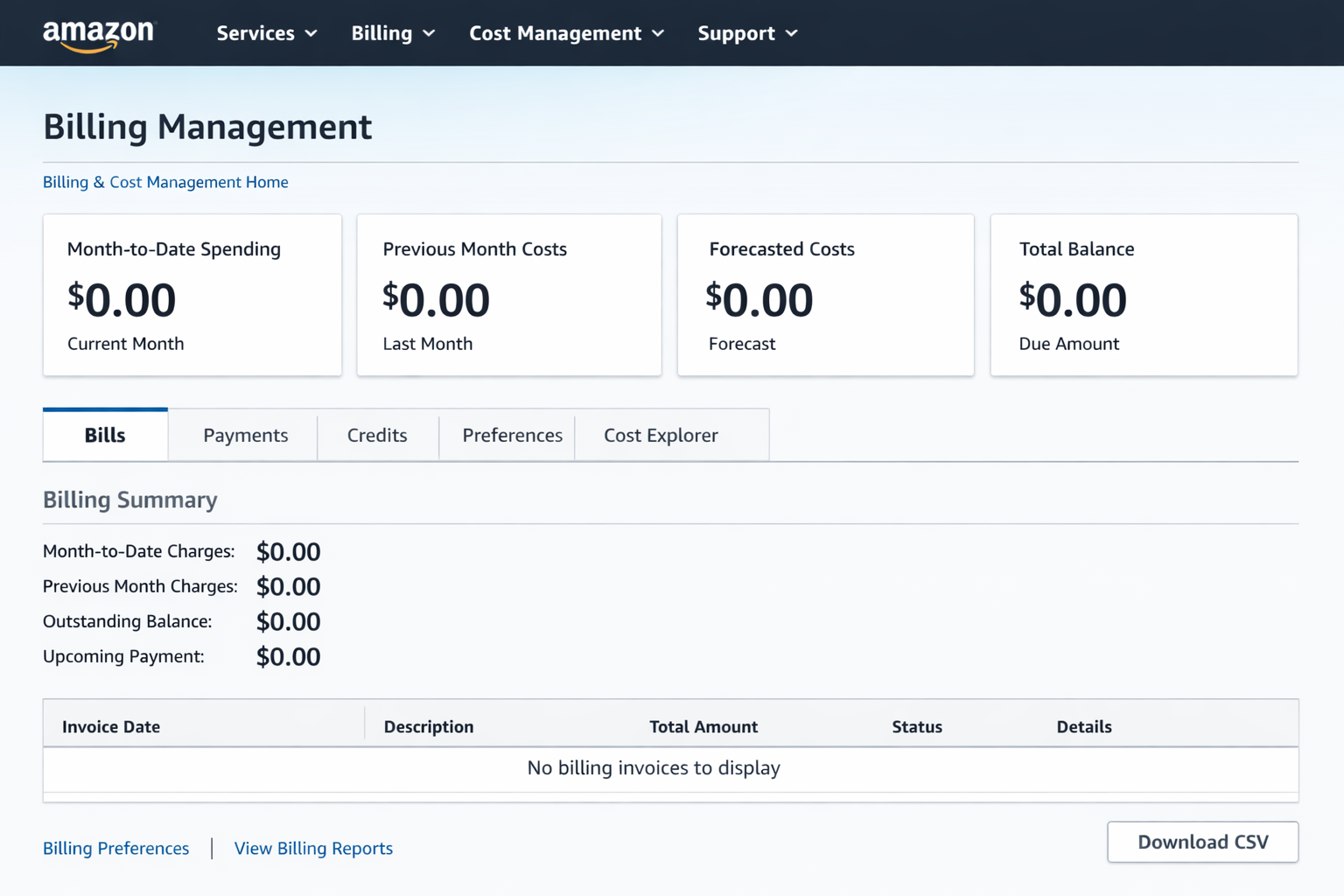
In the cloud-native era, the ability to prototype and deploy without upfront capital expenditure is a significant competitive advantage. Amazon Web Services (AWS) offers a Free Tier that, if managed with architectural precision, provides a 12-month runway for startups and developers to build production-grade environments.
This guide explores how to maximize the AWS Free Tier, implement strict billing governance, and leverage account lifecycle strategies to maintain a zero-cost infrastructure.
1. Navigating the Three Pillars of AWS Free Tier
To build a sustainable cost model, you must distinguish between the three types of free offers AWS provides:
12-Month Free Tier: Available only to new accounts. It includes 750 hours/month of EC2 (t2.micro/t3.micro) and RDS, plus 5GB of S3 storage.
Always Free: These resources do not expire. They include 1 million AWS Lambda requests, 25GB of DynamoDB storage, and 1TB of CloudFront data transfer.
Short-term Trials: Specialized services like Amazon SageMaker or GuardDuty often offer 30 to 60-day trials for initial testing.
📚 Official AWS Resources:
2. Strategic Resource Allocation
A professional implementation requires more than just launching instances. You must architect for the limits:
Compute & Database Efficiency
The 750-hour monthly limit for EC2 and RDS is designed for one instance running 24/7. If you require a multi-server setup (e.g., a web server and a staging server), you must utilize Auto-Scaling Groups or Instance Schedulers to ensure the combined uptime does not exceed the monthly quota.
💡 Example: Terraform Configuration for Free Tier EC2
resource "aws_instance" "free_tier_web" {
  ami           = "ami-0c55b159cbfafe1f0"  # Amazon Linux 2
  instance_type = "t2.micro"  # Free tier eligible

  tags = {
    Name        = "FreeTierWebServer"
    Environment = "Development"
    ManagedBy   = "Terraform"
  }

  # Enable detailed monitoring (free tier: 10 custom metrics)
  monitoring = false  # Basic monitoring is free

  # Use free tier eligible storage
  root_block_device {
    volume_size = 30  # Free tier: up to 30GB
    volume_type = "gp2"
  }
}Leveraging the Edge
By offloading traffic to Amazon CloudFront, you stay within the 1TB free egress limit while reducing the CPU load on your free-tier EC2 instances. This "Edge-First" approach is critical for maintaining performance on low-spec virtual machines.
💡 Example: CloudFront Distribution for Static Assets
resource "aws_cloudfront_distribution" "free_tier_cdn" {
  enabled = true
  comment = "Free Tier CDN Distribution"

  origin {
    domain_name = aws_s3_bucket.website.bucket_regional_domain_name
    origin_id   = "S3-FreeTier"

    s3_origin_config {
      origin_access_identity = aws_cloudfront_origin_access_identity.default.cloudfront_access_identity_path
    }
  }

  default_cache_behavior {
    allowed_methods  = ["GET", "HEAD"]
    cached_methods   = ["GET", "HEAD"]
    target_origin_id = "S3-FreeTier"

    forwarded_values {
      query_string = false
      cookies {
        forward = "none"
      }
    }

    viewer_protocol_policy = "redirect-to-https"
    min_ttl                = 0
    default_ttl            = 3600
    max_ttl                = 86400
  }

  # Free Tier: 1TB data transfer out per month
  price_class = "PriceClass_100"  # Use only US/EU edge locations

  restrictions {
    geo_restriction {
      restriction_type = "none"
    }
  }

  viewer_certificate {
    cloudfront_default_certificate = true
  }
}3. Advanced Governance: Identity and Risk Management
For long-term R&D, one year is often insufficient. Professional cloud engineers often employ "Account Vending" techniques to isolate projects and reset the Free Tier clock.
RFC 5233 Sub-addressing (The Email Suffix Strategy)
Managing multiple AWS accounts can become an administrative burden. By utilizing email sub-addressing (e.g., devops+sandbox01@onegatecloud.com), you can create unique AWS account identities that all funnel communications to a single administrative primary inbox. This allows for:
- Project Isolation: Each project stays within its own 12-month window.
- Security: If one sandbox account is compromised, the blast radius is limited.
💡 Example: Account Creation Automation Script
#!/bin/bash
# AWS Account Vending Script
# Requires: AWS Organizations with consolidated billing

BASE_EMAIL="devops@onegatecloud.com"
PROJECT_NAME="$1"
ACCOUNT_EMAIL="${BASE_EMAIL//@/+${PROJECT_NAME}@}"

echo "Creating AWS account for project: $PROJECT_NAME"
echo "Email: $ACCOUNT_EMAIL"

aws organizations create-account \
  --email "$ACCOUNT_EMAIL" \
  --account-name "FreeTier-${PROJECT_NAME}" \
  --role-name "OrganizationAccountAccessRole"

# Wait for account creation
ACCOUNT_ID=$(aws organizations list-accounts \
  --query "Accounts[?Email=='${ACCOUNT_EMAIL}'].Id" \
  --output text)

echo "Account created: $ACCOUNT_ID"

# Apply SCPs (Service Control Policies) to prevent expensive services
aws organizations attach-policy \
  --policy-id "p-FreeTierOnly" \
  --target-id "$ACCOUNT_ID"

echo "✅ Free Tier account ready: $ACCOUNT_EMAIL"
🔗 GitHub: AWS Organizations Samples | AWS Organizations Documentation
Financial Sandboxing with Virtual Cards
The "Elastic" nature of the cloud is a double-edged sword. A misconfigured script can lead to catastrophic billing. To prevent this, seasoned architects use Virtual Disposable Cards (via fintech providers like Revolut or Wise).
By assigning a dedicated virtual card with a hard spending limit (e.g., $2.00) to an AWS account, you create a physical barrier against runaway costs. If the account exceeds the free tier and attempts to charge a large amount, the transaction is declined at the bank level, effectively acting as an external "circuit breaker."
4. Automation: Zero-Waste DevOps
To ensure your infrastructure remains within the $0.00 bracket, automation is mandatory.
Automated Shutdowns
Using AWS Lambda and EventBridge, you can automate the lifecycle of your resources. For instance, shutting down development environments outside of business hours (18:00 - 09:00) can save over 50% of your hourly quota, allowing you to run two instances for the price of one.
💡 Lambda Function: Automated EC2 Instance Scheduler
// index.js - EC2 Instance Scheduler
const AWS = require('aws-sdk');
const ec2 = new AWS.EC2();

exports.handler = async (event) => {
  const action = event.action; // 'start' or 'stop'
  const tag = process.env.TAG_KEY || 'AutoShutdown';
  const tagValue = process.env.TAG_VALUE || 'true';

  try {
    // Find instances with the specified tag
    const instances = await ec2.describeInstances({
      Filters: [
        { Name: \`tag:${tag}\`, Values: [tagValue] },
        { Name: 'instance-state-name', Values: action === 'stop' ? ['running'] : ['stopped'] }
      ]
    }).promise();

    const instanceIds = [];
    instances.Reservations.forEach(reservation => {
      reservation.Instances.forEach(instance => {
        instanceIds.push(instance.InstanceId);
      });
    });

    if (instanceIds.length === 0) {
      console.log(\`No instances to ${action}\`);
      return { statusCode: 200, body: 'No instances found' };
    }

    // Start or stop instances
    if (action === 'stop') {
      await ec2.stopInstances({ InstanceIds: instanceIds }).promise();
      console.log(\`Stopped instances: ${instanceIds.join(', ')}\`);
    } else {
      await ec2.startInstances({ InstanceIds: instanceIds }).promise();
      console.log(\`Started instances: ${instanceIds.join(', ')}\`);
    }

    return {
      statusCode: 200,
      body: JSON.stringify({
        action,
        instances: instanceIds,
        timestamp: new Date().toISOString()
      })
    };
  } catch (error) {
    console.error('Error:', error);
    throw error;
  }
};
⚙️ EventBridge Rules (Terraform)
resource "aws_cloudwatch_event_rule" "stop_instances" {
  name                = "stop-dev-instances-evening"
  description         = "Stop development instances at 18:00 UTC"
  schedule_expression = "cron(0 18 * * ? *)"
}

resource "aws_cloudwatch_event_rule" "start_instances" {
  name                = "start-dev-instances-morning"
  description         = "Start development instances at 09:00 UTC"
  schedule_expression = "cron(0 9 * * ? *)"
}

resource "aws_cloudwatch_event_target" "stop_lambda" {
  rule      = aws_cloudwatch_event_rule.stop_instances.name
  target_id = "StopInstancesLambda"
  arn       = aws_lambda_function.instance_scheduler.arn
  input     = jsonencode({ action = "stop" })
}

resource "aws_cloudwatch_event_target" "start_lambda" {
  rule      = aws_cloudwatch_event_rule.start_instances.name
  target_id = "StartInstancesLambda"
  arn       = aws_lambda_function.instance_scheduler.arn
  input     = jsonencode({ action = "start" })
}
🔗 GitHub: AWS Instance Scheduler (Official) | AWS Instance Scheduler Solution
Billing Alarms
No AWS account should exist without a CloudWatch Billing Alarm. Set a threshold at $0.01 to receive an immediate SNS notification the moment a non-free resource is provisioned.
💡 CloudWatch Billing Alarm Setup (Terraform)
resource "aws_sns_topic" "billing_alerts" {
  name = "billing-alerts"
}

resource "aws_sns_topic_subscription" "billing_email" {
  topic_arn = aws_sns_topic.billing_alerts.arn
  protocol  = "email"
  endpoint  = "billing-alerts@onegatecloud.com"
}

resource "aws_cloudwatch_metric_alarm" "billing_alert" {
  alarm_name          = "free-tier-billing-alert"
  comparison_operator = "GreaterThanThreshold"
  evaluation_periods  = "1"
  metric_name         = "EstimatedCharges"
  namespace           = "AWS/Billing"
  period              = "21600"  # 6 hours
  statistic           = "Maximum"
  threshold           = "0.01"  # Alert at 1 cent
  alarm_description   = "Triggers when AWS charges exceed free tier"
  alarm_actions       = [aws_sns_topic.billing_alerts.arn]

  dimensions = {
    Currency = "USD"
  }
}

# Free Tier Usage Alarms
resource "aws_cloudwatch_metric_alarm" "ec2_hours_alert" {
  alarm_name          = "ec2-free-tier-hours"
  comparison_operator = "GreaterThanThreshold"
  evaluation_periods  = "1"
  metric_name         = "EC2RunningHours"
  namespace           = "AWS/Usage"
  period              = "86400"  # 24 hours
  statistic           = "Sum"
  threshold           = "700"  # Alert before hitting 750 limit
  alarm_description   = "EC2 hours approaching free tier limit"
  alarm_actions       = [aws_sns_topic.billing_alerts.arn]
}
🐍 Python Script: Free Tier Usage Monitor
import boto3
from datetime import datetime, timedelta

def check_free_tier_usage():
    ce = boto3.client('ce')  # Cost Explorer

    # Check last 30 days usage
    end_date = datetime.now().strftime('%Y-%m-%d')
    start_date = (datetime.now() - timedelta(days=30)).strftime('%Y-%m-%d')

    response = ce.get_cost_and_usage(
        TimePeriod={'Start': start_date, 'End': end_date},
        Granularity='MONTHLY',
        Metrics=['UnblendedCost'],
        GroupBy=[{'Type': 'SERVICE', 'Key': 'SERVICE'}]
    )

    print("\n🚨 AWS Free Tier Usage Report")
    print("=" * 50)

    total_cost = 0
    for result in response['ResultsByTime']:
        for group in result['Groups']:
            service = group['Keys'][0]
            cost = float(group['Metrics']['UnblendedCost']['Amount'])
            if cost > 0:
                print(f"  {service}: ${cost:.2f}")
                total_cost += cost

    print("=" * 50)
    print(f"💰 Total Cost: ${total_cost:.2f}\n")

    if total_cost > 0:
        print("⚠️  WARNING: You have exceeded the Free Tier!")
    else:
        print("✅ You are within the Free Tier limits.")

if __name__ == '__main__':
    check_free_tier_usage()
🔗 GitHub: AWS Cost Management | CloudWatch Billing Alarms Documentation
5. Complete Infrastructure as Code Example
Here's a complete Terraform configuration for a production-ready, Free Tier-optimized web application:
🏗️ Full Stack Free Tier Architecture
terraform {
  required_version = ">= 1.0"
  required_providers {
    aws = {
      source  = "hashicorp/aws"
      version = "~> 5.0"
    }
  }
}

provider "aws" {
  region = "us-east-1"  # Free tier eligible
}

# S3 Bucket for static assets (5GB free)
resource "aws_s3_bucket" "website" {
  bucket = "my-free-tier-website"
}

# DynamoDB Table (25GB free)
resource "aws_dynamodb_table" "app_data" {
  name           = "AppData"
  billing_mode   = "PAY_PER_REQUEST"  # Free tier: 25 WCU, 25 RCU
  hash_key       = "UserId"

  attribute {
    name = "UserId"
    type = "S"
  }
}

# Lambda Function (1M requests free)
resource "aws_lambda_function" "api" {
  filename      = "lambda.zip"
  function_name = "free-tier-api"
  role          = aws_iam_role.lambda_role.arn
  handler       = "index.handler"
  runtime       = "nodejs18.x"
  memory_size   = 128  # Minimum for cost optimization
  timeout       = 3

  environment {
    variables = {
      DYNAMODB_TABLE = aws_dynamodb_table.app_data.name
    }
  }
}

# API Gateway (1M requests free)
resource "aws_apigatewayv2_api" "api" {
  name          = "free-tier-api"
  protocol_type = "HTTP"
}

resource "aws_apigatewayv2_integration" "lambda" {
  api_id           = aws_apigatewayv2_api.api.id
  integration_type = "AWS_PROXY"
  integration_uri  = aws_lambda_function.api.invoke_arn
}

# Output the API endpoint
output "api_endpoint" {
  value = aws_apigatewayv2_api.api.api_endpoint
}
🔗 GitHub: Terraform AWS Modules | Terraform AWS Provider Documentation
Additional Resources & Community Tools
🛠️ Essential Tools for Free Tier Management:
- AWS Free Tier Usage Alerts: GitHub: aws-free-tier-usage - CLI tool to monitor free tier usage
- Cloud Custodian: GitHub: cloud-custodian - Policy-as-code for cost optimization
- Infracost: GitHub: infracost - Cost estimates for Terraform
- AWS SAM CLI: GitHub: aws-sam-cli - Local testing for Lambda functions
- LocalStack: GitHub: localstack - Local AWS cloud stack simulator
📚 Official AWS Documentation:
Conclusion
The AWS Free Tier is a powerful instrument for those who understand its mechanics. By combining Serverless Always-Free components, Account Rotation via email sub-addressing, and Financial Sandboxing, you can build a robust, professional-grade cloud presence with zero infrastructure overhead.
The practical examples and automation scripts provided in this guide demonstrate that with proper architecture and governance, you can maintain production-ready infrastructure without incurring costs. The key is continuous monitoring, intelligent automation, and strategic resource allocation.
The goal is not just to use the cloud, but to master its economy.